Saxo
The saxo app is single-voice melodic training for wind controllers, built and tested with the TravelSax. Scores are engraved transposed for E♭ alto, exactly as a saxophonist reads them.
The layout
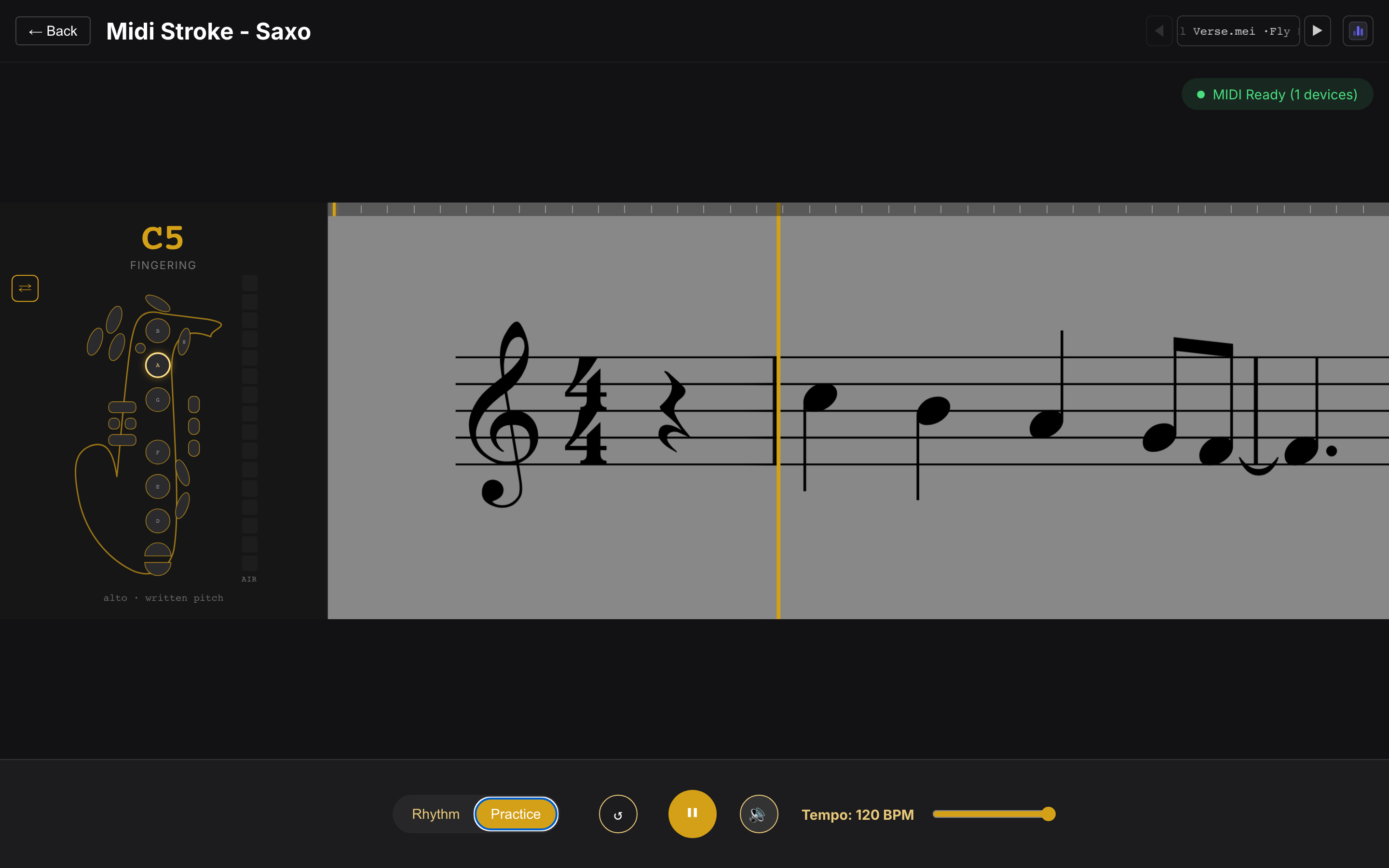
Section titled “The layout”The score scrolls on the right; on the left, a minimalist full-key saxophone shows the fingering for the current note: keys to press glow, keys to release show red, and the note name sits right above the chart.
- Mirror toggle (⇄) — by default the sax is mirrored, the way you see your own hands looking down; toggle for a front-facing chart.
- Breath meter — a live column showing your breath level, read from the controller (CC 2 / 7 / 11 or channel pressure).
Live key display (no breath needed)
Section titled “Live key display (no breath needed)”The TravelSax reports which keys your fingers are holding independently of breath, and each switch on the chart is mapped to its physical key on the device — so the chart lights exactly what you’re pressing before you blow, handy for checking a fingering or switching cleanly between notes without an accidental note sounding.
Pitch and transposition
Section titled “Pitch and transposition”The scores are in written pitch for E♭ alto and the app expects your controller in its default octave: the TravelSax sends the written pitch class one octave below the staff, and the app compensates automatically. If notes register an octave off, adjust the controller’s octave setting.
Jazz scale generator
Section titled “Jazz scale generator”The song picker’s 🎼 Jazz generator entry engraves jazz practice material on the fly, the saxophone counterpart of the piano scale generator.
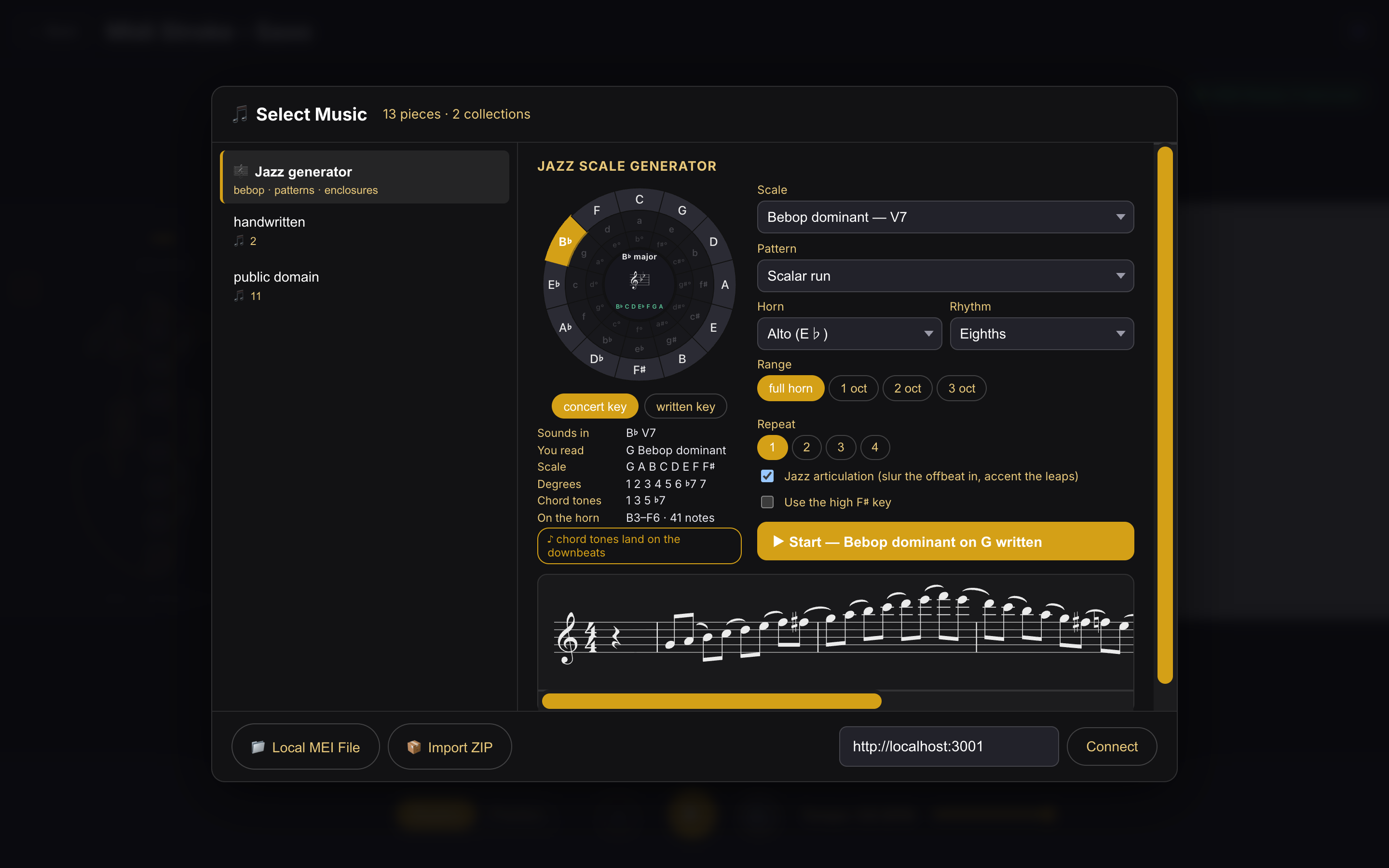
Pick a root on the circle of fifths in concert pitch — the key the band is playing — and the part is engraved transposed for your horn: alto, tenor, soprano or baritone. The panel always shows both, so a B♭ blues reads as “sounds in B♭, you read G”. Switch the toggle to written key if you would rather name the key you read.
What you can build
Section titled “What you can build”- Scales — the four bebop scales plus the ♮7 bebop minor; the parent scales they came from; the melodic-minor modes (lydian dominant, altered, locrian ♯2 and the rest); the symmetrical scales (half-whole and whole-half diminished, whole tone); and the pentatonic and blues family, including the 9-note jazz blues.
- Patterns — the scale itself, scales in thirds, the digital cells 1-2-3-5 and 3-5-7-9, triad pairs, and three kinds of chromatic approach and enclosure around every chord tone.
- Range — full horn traverses the whole instrument: start on the root, climb to the top of the keyed range, descend to the bottom, return to the root. Or take the usual 1 to 3 octaves.
- Rhythm and repeats — quarters, eighths, sixteenths or triplets, up to four times through.
- Jazz articulation — slurs each offbeat into the downbeat, the way the line is tongued, and accents the top note of every leap wider than a minor third.
Chord tones on the downbeats
Section titled “Chord tones on the downbeats”A bebop scale is its parent scale plus one chromatic passing tone, placed so that the chord tones land on the beat when you play the line in straight eighths. The builder shows a ♪ chord tones land on the downbeats badge on the scales where that is actually true, and the generator keeps the property through the turnarounds at the top and bottom of the horn, and across repeats.
Everything stays inside the real keyed range — written B♭3 to F6, or F♯6 if you tick the high F♯ key — so an exercise never asks for a note your horn does not have. Generated exercises play like any other piece and keep their own stats:
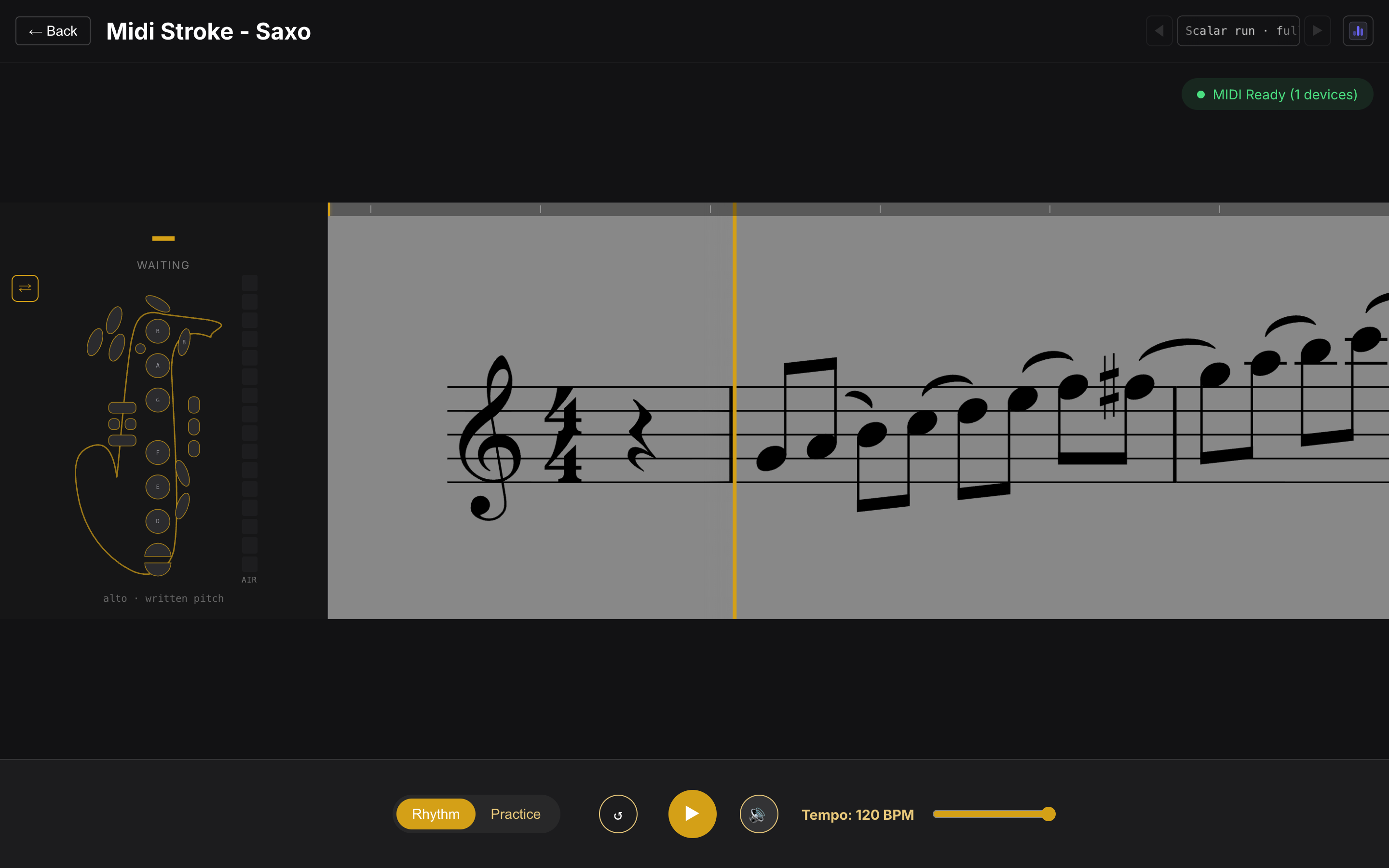
Playback is straight, not swung: scoring follows the engraved rhythm, so swinging the eighths would be marked as wrong notes. Swing them once you are off the trainer.